
AI-Native vs. AI-Enabled: A Buyer’s Checklist Before You Sign Another SaaS Contract

Insights / AI-Native vs. AI-Enabled: A Buyer’s Checklist Before You Sign Another SaaS Contract
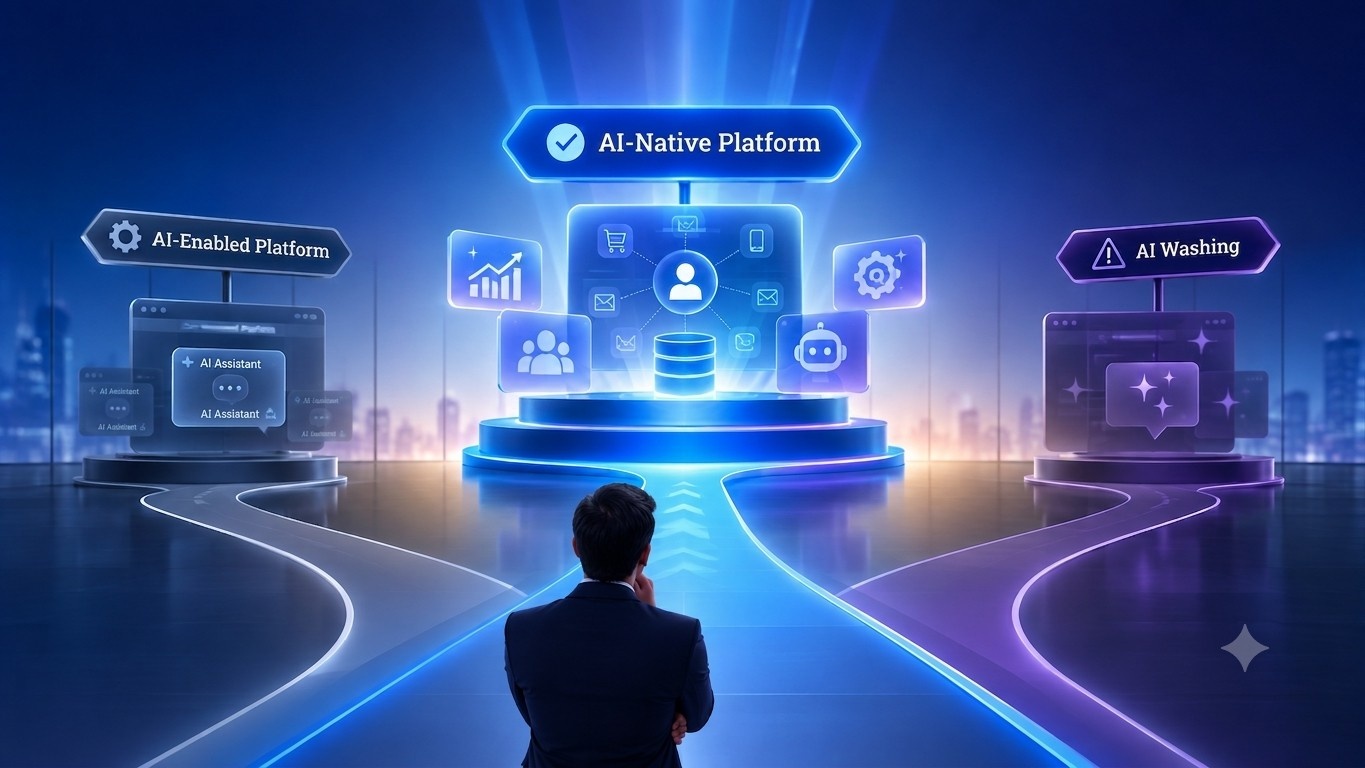
Ai Native vs Ai Enabled Buyers Checklist

A CIO’s team shortlists three vendors for a new customer platform. Every proposal promises an AI-powered CRM or AI-powered customer platform, with claims of intelligent automation, predictive insights and enterprise AI.

Months after deployment, the reality looks very different. One platform can’t remember previous conversations, another requires custom integrations for every new data source, while a third comes with unexpected AI usage charges that were never part of the original proposal.

The problem isn’t that these platforms lack AI. It’s that many simply add AI to traditional software rather than building it into the platform from the start. For enterprise buyers, understanding that architectural difference before signing a contract can mean the difference between long-term value and long-term technical debt.

This checklist will help you evaluate AI-powered enterprise platforms, ask the right questions and distinguish genuine AI-native architecture from AI-enabled software before you make your next investment.

  • Why “AI-Powered” Has Become Meaningless
  • AI-Native vs AI-Enabled: What’s the Difference
  • The Enterprise Buyer’s Checklist
  • Questions Every Procurement Team Should Ask
  • AI-Native Red Flags
  • Where This Plays Out by Industry
  • The Future of Enterprise SaaS
  • How Worktual Maps to This Checklist
  • FAQs

Why “AI-Powered” Has Become Meaningless

Today, almost every enterprise software vendor claims to be “AI-powered.” From CRM and contact centers to ERP and marketing platforms, AI has become a standard marketing message but it often says very little about how the product is actually built.

In many cases, AI has been added to existing software as a feature rather than designed into the platform itself. As a result, terms like AI-powered, AI-enabled and AI-native are often used interchangeably, even though they represent very different approaches to architecture, automation and scalability.

For enterprise buyers, understanding that difference is essential. The way AI is built into a platform directly affects implementation, integration, governance, long-term costs and the value the platform can deliver.

AI-Native vs AI-Enabled: What's the Difference

DimensionAI-EnabledAI-Native
ArchitectureAI added to existing softwareAI built into the platform from the ground up
IntelligenceSupports predefined tasksLearns, reasons and adapts continuously
AutomationTask automationIntelligent decision-making and orchestration
ContextLimited to connected applicationsUnified context across the enterprise
ScalabilityRequires manual configurationContinuously improves as data grows
Customer ExperienceReactive responsesPredictive, personalised engagement

The Enterprise Buyer's Checklist

The way AI is built into a platform has a direct impact on cost, scalability and long-term business value. Before investing, enterprise buyers should look beyond AI features and evaluate how the platform will perform as business needs evolve.

Key considerations include:

Total cost of ownership – Look beyond licensing costs to understand implementation, integrations, AI usage charges and ongoing maintenance. 

Scalability – Can the platform adapt to new business requirements without extensive redevelopment or custom integrations? 

Data and context – AI performs best when it has access to a unified view of customer and business data, rather than fragmented information spread across multiple systems. 

Governance and security – Enterprise AI should provide transparency, auditability, human oversight and support for your organisation’s compliance requirements. 

Vendor flexibility – Understand how dependent the platform is on third-party AI models and whether changes to pricing or providers could affect your operations.

Ai Native vs Ai Enabled Saas Buyers Checklist

Questions Every Procurement Team Should Ask

  • Is the AI proprietary, open-source or built on third-party models? Understand how dependent the platform is on external AI providers.
  • How is customer data protected? Confirm data isolation, privacy controls and whether your data is used to train AI models. 
  • Can AI decisions be explained and audited? Ensure the platform supports transparency, human oversight and audit trails. 
  • What happens if AI services or pricing change? Understand the impact of model updates, service outages or pricing changes on your operations. 
  • Are all costs included? Ask about implementation, integrations, AI usage limits and any additional charges that may arise after deployment.

AI-Native Red Flags

Not every platform that claims to be AI-powered delivers enterprise-grade AI. Watch for these warning signs during product evaluations:

  • AI is limited to a chatbot or assistant rather than embedded across the platform. 
  • Every interaction starts from scratch, with little or no memory of previous conversations. 
  • Heavy reliance on manual prompts to achieve consistent results. 
  • AI produces generic responses because it lacks access to unified customer or business context. 
  • Complex integrations are needed to connect AI with core business systems.

Where This Plays Out by Industry

  • Financial services — risk and compliance decisions need an explainable audit trail, not a black box.
  • Healthcare — patient engagement automation has to satisfy HIPAA by design, not as an afterthought.
  • Retail — personalization is only as good as the unified view of the customer feeding it.

The Future of Enterprise SaaS

Enterprise AI is evolving beyond standalone features and assistants. The next generation of platforms will use AI to automate workflows, deliver real-time insights and help organisations make faster, more informed decisions.

As AI capabilities mature, buyers will increasingly evaluate platforms based not on the number of AI features they offer, but on how effectively AI is integrated into the platform’s architecture, data and day-to-day operations.

For enterprise leaders, the question is no longer whether a platform uses AI; it’s how AI is built, governed and applied to deliver measurable business outcomes.

How Worktual Maps to This Checklist

The purpose of this checklist isn’t to declare one platform better than anotherit’s to help buyers evaluate AI platforms using consistent criteria.

Against this framework, Worktual is designed with AI integrated across the platform rather than added as a standalone feature. It combines a unified customer view through its Cognitive CDP, AI-powered automation, omnichannel engagement, AI agents and enterprise workflow orchestration on a single platform.

For enterprise buyers, the goal is simple: evaluate every vendor against the same questions. The platforms that provide unified data, embedded AI, transparent governance and scalable architecture are more likely to deliver long-term business value.

Conclusion

Choosing an enterprise AI platform is no longer just about comparing features. It’s about understanding how AI is built, how it uses your data and whether it can scale with your business.

By asking the right questions before signing a contract, enterprise buyers can look beyond marketing claims, reduce long-term risk and choose a platform that delivers measurable business value.

Book a Demo

FAQs

1. What is AI-native software?

AI-native software is built with AI at its core, enabling intelligent automation, contextual decision-making and continuous learning across the platform.

2. What is AI-enabled software?

AI-enabled software adds AI capabilities to an existing platform, typically as standalone features or assistants rather than as part of the underlying architecture.

3. Why does AI architecture matter?

AI architecture affects how well a platform scales, integrates with enterprise systems, uses data and delivers long-term business value.

4. How can I identify AI washing?

Look beyond marketing claims. Ask how AI is built, whether it retains context, how it uses enterprise data and whether AI decisions can be explained and audited.

5. What questions should enterprise buyers ask AI vendors?

Ask about AI architecture, data privacy, governance, integrations, pricing, scalability and how the platform supports human oversight.

6. Is AI-native software always better?

Not necessarily. The right platform depends on your business needs, but buyers should evaluate how AI is integrated into the platform rather than relying on marketing labels alone.

7. an AI-native platforms integrate with existing enterprise systems?

Yes. Most enterprise AI platforms support integration with CRM, ERP, communication channels and other business applications through APIs and native connectors.

Related Posts

Customer Intelligence Cognitive CDP

How Fortune 1000 Companies Are Rethinking Customer Intelligence

A Fortune 1000 retailer’s customer places an order on the website, calls support about a delivery delay two days later, and then receives a marketing email promoting the same product she already purchased. Three departments, three systems, and no shared understanding of the customer.

Ai native CRM vs Traditional CRM Buyers guide

AI-Native CRM vs Traditional CRM: The Enterprise Buyer’s Guide

Every CRM vendor claims to have AI. But not all AI is built the same.

Some platforms add AI to an existing CRM. Others are designed with AI at their core. While both may offer similar features on the surface, the underlying architecture determines how effectively AI can automate work, generate insights and support business decisions.

What is Customer Value Management CVM

What Is Customer Value Management (CVM), and Why Most CDP Deployments Are Missing It

Healthcare providers are managing an increasingly complex environment where operational efficiency, patient access, and revenue performance are tightly interconnected. Rising patient expectations, increasing administrative burdens, and workforce shortages continue to place pressure on both clinical and non-clinical teams. Patients now expect immediate responses, seamless scheduling, and consistent communication across channels, yet many healthcare systems still rely on fragmented processes and delayed engagement. These gaps result in missed appointments, underutilized capacity, and inconsistent patient care experiences that directly impact both outcomes and financial performance.