

Contact Center Ai Explained: What It Is, How It Works & How to Use It
Insights / Contact Center Ai Explained: What It Is, How It Works & How to Use It
Customer support becomes complicated when queries accumulate and responses slow down.
With frustrated customers quitting on you and agents feeling exhausted trying to retain them, the situation is going beyond your control. As issues increase, you feel trapped, with no clear way to regain control.
You try new tools, scripts, and training sessions, but nothing feels like enough to close the gap. Meanwhile, customers start comparing their experience with others and quietly realise that your competitors make it easier to get help and are ready to make the shift.
A way exists to change this story, and it delivers more clarity than expected. The approach restores control and confidence, keeping both customers and agents happy.
Ready to discover what transforms the entire experience?
What is Contact Center Ai?
Contact Center Ai helps businesses automate several customer functions with Ai capabilities. This automation helps streamline customer interactions at multiple levels. It boosts the productivity of your service team by leveraging capabilities like natural language processing, machine learning, large language models, real-time coaching, and speech analytics.
Just like an airport’s traffic control system, Contact Center Ai mitigates confusion, keeps conversations flowing, and ensures everyone hears the right words at the right time. While it doesn’t replace human agents, it instead provides them with the right information and precise suggestions when things spiral.
Why It Matters: Align with Enterprise Priorities
For most companies, the contact center is not just a support function. It is the face of their brand. That is why contact center Ai aligns closely with bigger business goals like improving customer experience, driving efficiency, and scaling operations without adding massive overhead.
Think of it like expanding an airport to handle more flights without doubling the staff. With the right Ai in place, businesses can handle growing customer demands while keeping service quality consistent. Ai acts as an extra layer of intelligence that reduces friction for both customers and employees.
Ai's Role in the Contact Center
In several aspects, you can equate a contact center to an airport control room. The contact center analyzes patterns, listens to conversations, and gives real-time support for agents. The agenda behind these functionalities is to give quick, helpful answers to customers around the clock.
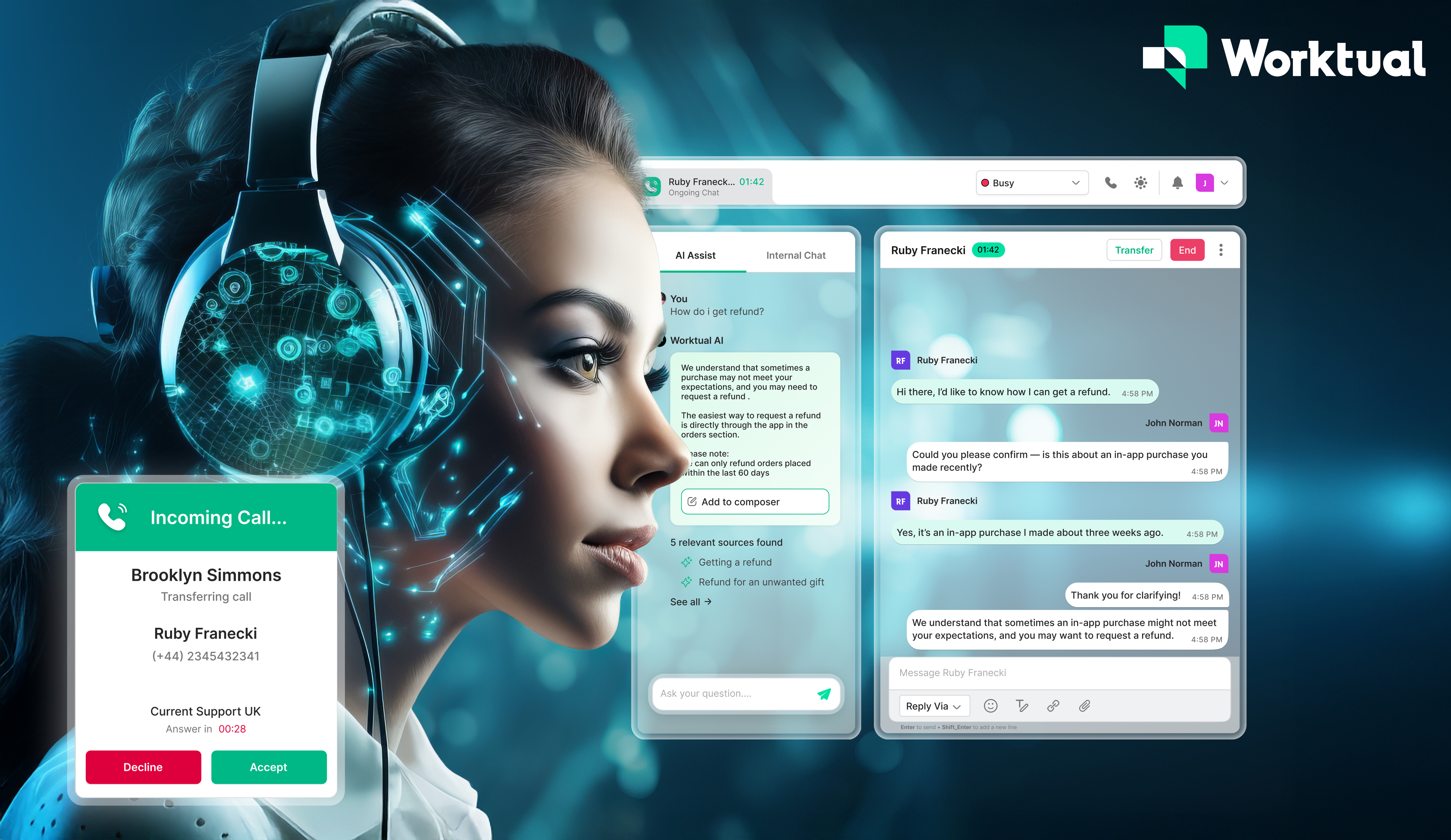
Salesforce found that 26% of agents say they often lack context about a customer’s situation. When an agent is in a complex conversation, Ai can provide on-screen suggestions, summaries, relevant knowledge (help docs), and customer history without delay.
This real-time agent assistance is one of the most impactful roles of an Ai contact center. As a result, agents are not scrambling for information, and customers do not have to repeat themselves or wait for long times.
How Contact Center Ai Works
Inbound call flow with Ai
When a customer calls, Ai can route them to the right agent based on skills or urgency. Apart from this, it can also handle routine questions and suggest relevant help docs to enable self-service. Also, it reduces unnecessary transfers and increases the resolution rate.
However, you can’t expect Ai just to take over as soon as you plug it in. It needs access to structured data, fast processing power, and integration with existing business tools to ensure calls move seamlessly across departments.
Digital interactions
Having discussed the versatility Ai contact center solutions hold, they don’t stop there. They play a vital role across chat platforms, too. Customers expect quick help in today’s world, regardless of how they reach out to you. It could be web chat, email, SMS, WhatsApp, or other social channels.
No matter the channel, our Ai contact center gives consistent answers and holds relevant conversations. As a result, support remains accessible throughout the day and night.
Agent assistance
Tricky situations are inevitable. And no agent is super-trained to treat it like a cakewalk. During such demanding times, Ai steps in as your agents’ co-pilot, offering real-time help by drafting empathetic responses and pulling up relevant, helpful documentation.
Additionally, it takes a step further by monitoring customers’ emotions during interactions, ensuring responses align with their sentiments — if they are upset, Ai suggests comforting responses to agents; if frustrated, empathetic; if excited, cheerful.
This assistance improves agent efficiency, maintains a healthy ART score, builds confidence, and doesn’t make agents feel overwhelmed.
Backend insights
While Ai agents ace helping your support team, they don’t limit themselves to your human agents. They also help people higher in the hierarchy. They gather insights and draw actionable insights that help supervisors and decision-makers improve operational efficiency.
This includes, but is not limited to, identifying common pain points, identifying knowledge gaps in agents & recommending training, and more.
Areas that were once hard to monitor have become easily visible now. Over time, businesses can adapt their processes to meet the rising demands of customers and create a better experience for both employees and customers.
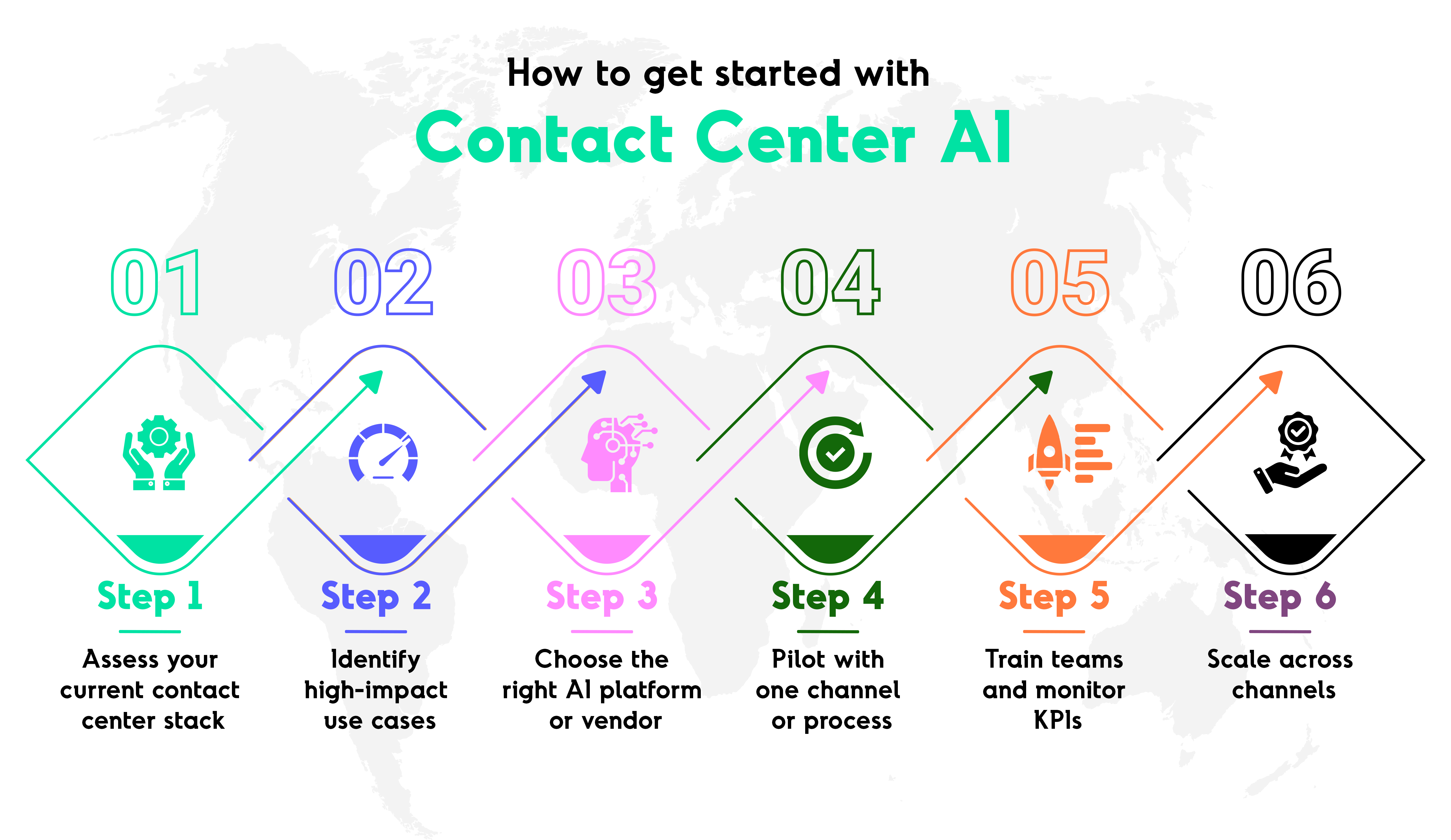
How to Get Started with Contact Center Ai
Step 1: Assess your current contact center stack
A tech stack audit is the right place to start before adding Ai into your workflow. As a business, you need to have a clear understanding of your existing technology setup and the business tools you use.
As a result, you prevent overlapping investments and ensure contact center Ai integrates well with your existing tech stack.
Step 2: Identify high-impact use cases
It is also important to keep in mind that not all processes need Ai from day one. Figuring this out helps you prioritize the most important tasks. It is ideal to focus on areas where Ai can deliver immediate value, like real-time transcription, answering simple and complex queries, and call routing.
Step 3: Choose the right Ai platform or vendor
The success of contact center Ai depends on your choice of the technology partner. You must look for platforms that fit your size, complexity, and growth plans. This is where your initial assessment comes in handy. It is important to note that the wrong tool can slow progress and increase costs.
Step 4: Pilot with one channel or process
Do not implement Ai throughout the organisation overnight. The untested Ai might give poor answers, confusing the customers. Parallely, human agents get overwhelmed as problems pile up. Your IT team could rush to fix errors, but costs increase and data risks emerge.
Starting small avoids this chaos. Pick one channel at a time and fine-tune it until customers get proper answers. This brings in stability to operations and builds trust in the new technology.
Step 5: Train teams and monitor KPIs
Ai isn’t magic. It doesn’t just change everything overnight for your business. Human agents need proper training to use Ai effectively. Leaders also need to track key metrics such as customer satisfaction (CSAT), average first response time, average resolution time (ART), average first assign time, and first contact resolution (FCR).
Step 6: Scale across channels
Once you start seeing Ai deliver value in one channel, it is time to confidently implement it throughout the channels. As a result, you create a unified, Ai-powered support experience for every customer, no matter how they reach out. Also, scaling thoughtfully ensures consistent service quality.
Key considerations before implementation
- Integration with legacy systems is a key priority. Unfortunately, many contact centers still run on legacy systems. So Ai has to blend into these environments without affecting their operations.
- Ai must respect compliance regulations like HIPAA and GDPR to protect sensitive customer information.
- Ethical use of Ai is imperative. Business tools and Ai should be designed to support, not manipulate, customer interactions.
- Understanding workforce readiness plays a crucial role in complete adoption. Ai changes how agents work, so proper support training is essential for better adoption.
- While implementing a new system, it is best to understand the true cost of ownership. When you have a bigger picture of software, integration, maintenance, and potential scalability expenses, you avoid financial surprises.
Future of Contact Center Ai
The most effective contact centers will move towards a hybrid approach. They will pick Ai to handle routine tasks, and humans to step in for emotionally demanding conversations.
Real-time transcripts, chat summaries, customer information, and suggestions during live conversations are the areas where generative Ai adds value. This helps in making interactions more efficient.
Sentiment analysis helps businesses understand customer moods to offer personalized service and give a heads-up to the human agent during handoffs.
Ready to Upgrade your Contact Center?
Contact center Ai converts a cluttered, overwhelming environment into one that runs with clarity. It optimizes operations, extends help to teams, and gives customers quick solutions. The goal is not to replace human agents but to make them more effective and confident.
With the right approach, businesses can scale without worrying much about customer service. Ai will keep it consistent and personalized. And the result? Loyal customers who receive reliable support from happier teams.
Discover how Worktual can help you build smarter, faster, and friendlier customer support for your business.
FAQs
1. What is Contact Center AI?
Contact Center AI refers to artificial intelligence technologies designed to automate, enhance, and optimize customer interactions within contact centers.
2. How does Contact Center AI work?
It works by combining natural language understanding (NLU), speech recognition, machine learning, and backend integrations to understand customer intent, route inquiries, propose responses, and automate repetitive tasks.
3. What are the main benefits of using AI in a contact center?
Benefits include improved response times, reduced operational costs, higher customer satisfaction (CSAT), increased first-contact resolution (FCR), better agent productivity, and insights into customer behavior.
4. Can Contact Center AI replace human agents?
AI is designed to augment — not completely replace — human agents. While AI can automate repetitive tasks and resolve simple queries, complex or high-empathy interactions still benefit from human support.
5. What metrics should businesses track with Contact Center AI?
Key metrics include automation rate, containment rate, average handling time (AHT), first-contact resolution (FCR), CSAT/NPS, intent accuracy, and agent satisfaction scores.

Related Posts
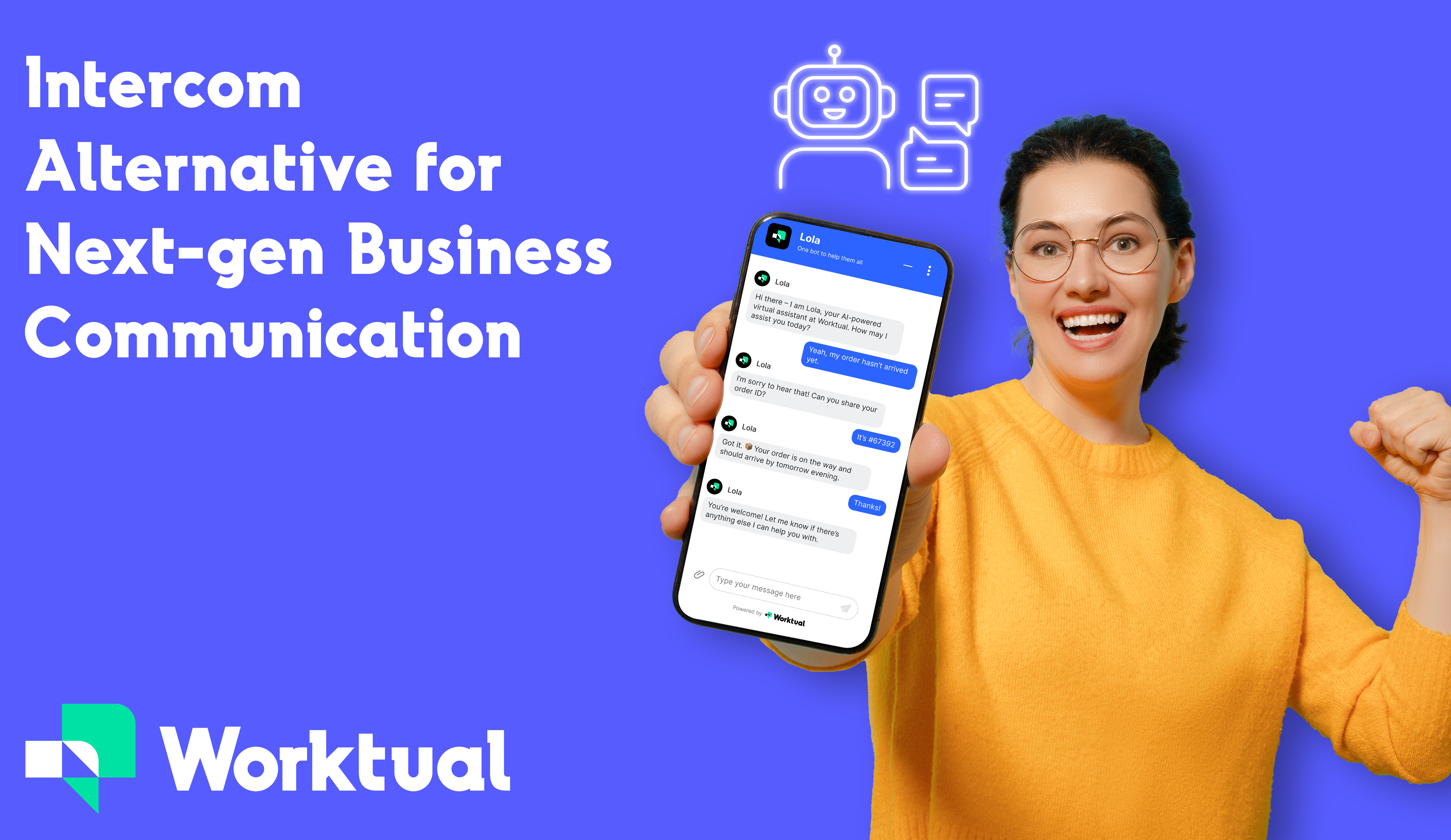
Best Intercom Alternatives for 2026: Top Tools to Improve Customer Support
Assume your business is a growing city. You lay small roads and basic infrastructure to manage the flow of traffic. When you prosper, you attract more ]people, but as the city grows, roads become crowded.
Now, traffic jams slow progress, and what worked perfectly doesn’t anymore. Similarly, many businesses face such issues as they scale while using Intercom. While Intercom has come a long way from being a simple messaging tool to an AI-powered customer service platform, it’s still built for the city with smaller roads.
Conversational Ai vs traditional chatbots: Which is better for businesses?
Old-school chatbots do certain things as required. Answering FAQs or booking appointments is a cakewalk for them, but they often feel rigid and robotic.
On the other hand, conversational AI feels more natural and easier to approach. It doesn’t ask you to repeat yourself; it knows the past chat and continues from there. Also, it picks up tone and makes interaction more personal.

What is an Ai voice bot and what makes worktual Ai voice bot different
In today’s fast-paced digital era, customers expect quick, human-like, and accurate responses across any channel, without repeating issues or waiting through endless IVR menus.This is where AI voice bots have emerged as a game changer.


